X Analyzer
A tool that reads the data you export from X (formerly Twitter) and builds reports for improving your posts, reflecting on yourself, and talking things over with AI. It turns your record on X into material for looking back and thinking about what to post next.
The interface is in Japanese.
Published: · Last update to the work: not confirmed
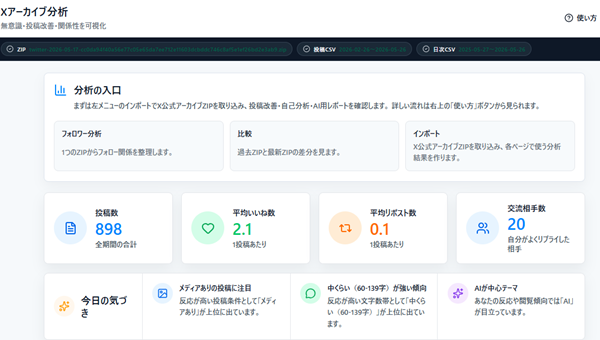
The app at the link is in Japanese.
The data you need
It uses the data you export from your own X account. The more data you can prepare, the more analyses you can see.
1. The official X archive (ZIP)
This is the basic data, used for sorting out who you follow, improving your posts, self-reflection and so on.
- Open X and go to Settings and privacy → Your account → Download an archive of your data
- Confirm it is you (password / verification code) and request the archive
- You get a notification once it is ready (preparing it takes time; in many cases a few hours to about a day)
- After the notification, download the ZIP file (you load that file as it is)
2. Data from X Analytics (CSV)— X Premium (paid members) only
This is used for numerical analysis such as impressions and follower trends. Analytics is available only to X Premium (paid) subscribers, so only paid members can obtain this CSV.
| Data | How to get it | What it is used for |
|---|---|---|
| Posts CSV | X Premium → export the CSV from Analytics → Content | Impression-based analyses (finding good posts, rankings, results by post type and so on) |
| Daily CSV | X Premium → export the CSV from Analytics → Home | Follower trends |
Note: the ZIP alone is enough for the basic analyses. Adding the CSV unlocks the impression-based analyses. With both, all of the analyses are available.
How to use it
- Prepare the data described above
- Choose "Open the app" and load your files from Import in the left-hand menu
- Press "Load and create the report"
- Open the analysis you want from the left-hand menu (or copy the Markdown from "Report for AI" and paste it into ChatGPT, Claude and the like)
What you can do
- Sort out who you follow, look back over your posts, and reflect on yourself — each on its own screen.
- For impression-based analyses, follower trends and checking which posts did well, you add the matching CSV.
- The results can be gathered into a report and used as Markdown for talking things over with AI.
Requirements
- It is a browser tool for computers.
- To use it you need the archive ZIP exported from your own X account. The additional analyses use the X Premium CSV.
How your data is handled
Whether the live site opened from this page is the same version as the published source we checked has not been confirmed. For that reason, we do not state definitively at this point where the data you load is kept, how to delete it, or how to back it up.
This introduction page uses access analytics to see how it is being viewed. That is separate communication from how your input data is handled. For details, please see the privacy policy.
Honest notes
Because this is a prototype, the display and the results of the analyses may contain mistakes, and the specification may change without notice. The figures are the record as X output it, and include estimates.
- You need an X account to prepare the basic data. The additional CSV is for X Premium users.
- This tool is not an official tool of X Corp.
Update history
- Released.
Related posts (in Japanese)

About the maker
A personal tool made by 麗 (urara), built in conversation with AI. I make things I want to use myself, things that are a little fun, small enough to build and grow one at a time.