Markdown → HTML Converter
Converts text written in Markdown into neatly formatted HTML code, in real time. A tool you can use while checking the result in a preview.
The interface is in Japanese.
Last updated:
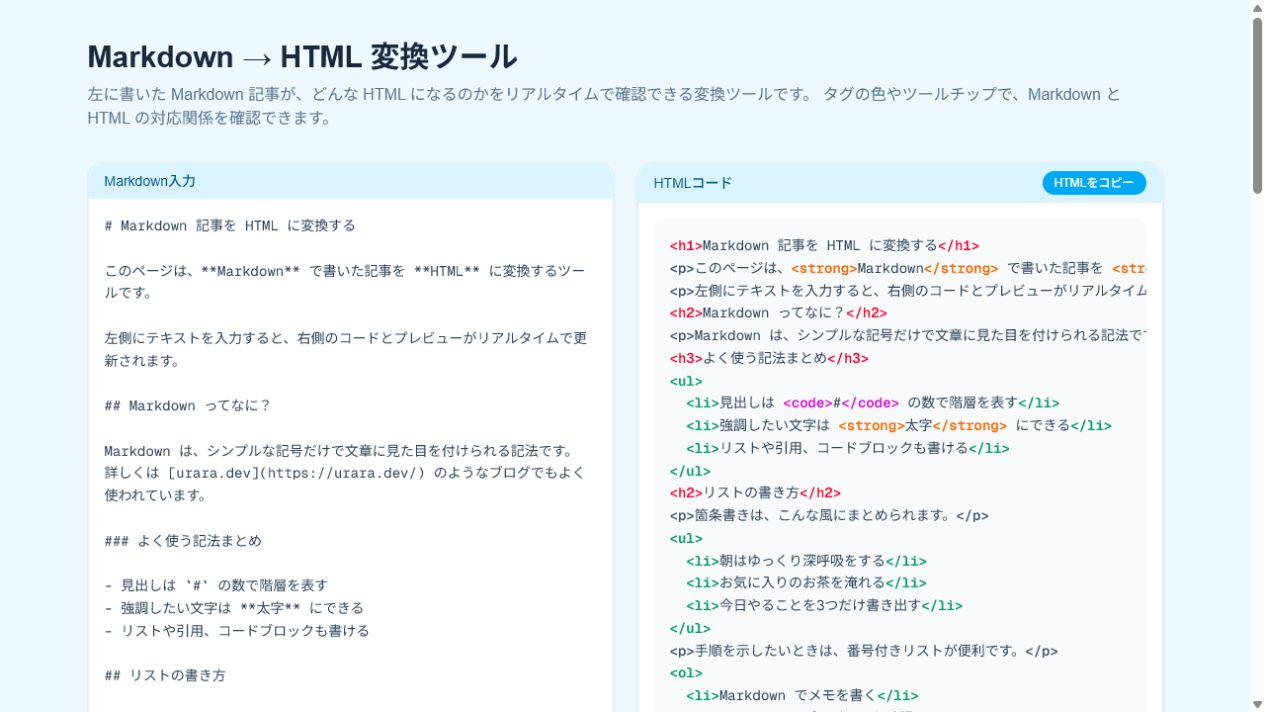
The tool's own screen is in Japanese.
🔒 The Markdown you type is converted inside your own browser only. Your text is never sent to or stored on a server.
How to use it
- Press "Open the tool"
- Write Markdown in the input area on the left
- Check the HTML code and the article preview shown on the right
- If you need it, press "Copy HTML" to copy the result
What it can do
| Feature | Details |
|---|---|
| Real-time conversion | Converts headings, bold, links, lists, quotes, code, tables and more into HTML |
| HTML code display | Colour-codes the converted tags, and shows what they mean when you hover over them |
| Article preview | Shows on the spot how the converted article will look |
| One-click copy | Copies the formatted HTML code to the clipboard |
If you want to read and write existing .md files on Windows, there is also Markdown Memo.
For peace of mind
- The text you type is processed inside your browser only, and is not sent anywhere
- Unsafe HTML tags and attributes are stripped out before the preview is shown
- If you write the URL of an external image in your Markdown, the only communication that happens is the request needed to display that image
How data is handled
The Markdown you type is converted inside your own browser only, and is not saved. It is not sent to the work's server either.
If you preview text containing external image URLs, communication with the place hosting those images may occur. The page's access analytics are separate from the data you type in.
Honest caveats
Please check the converted result against what you need it for. If it contains external images, check where those links point before you share it.
Update history
- Released the latest version.
Related posts (in Japanese)

Who made this
A personally developed tool that 麗 (urara) builds in conversation with AI. I make things I want to use myself, things that are a little more fun, one small piece at a time, and grow them from there.